 Perchy
The short answer
The right notch app depends on what you want in the notch. For crypto and stock prices, Perchy (our app). For a free, open-source app, Boring Notch or Atoll. For a polished app on macOS 15 or later, Alcove. For the widest set of modules and plugins, DynamicLake Pro. For notes, to-dos and a subscription option, NotchNook. All six control your music. Facts below come from each app’s own pages, as of 2026-11-04.
Who wrote this, and how we picked
#This guide is written by the team behind Perchy, one of the apps below. We have kept it to facts you can check: every statement about another app comes from that app’s own website, FAQ, changelog, checkout page or GitHub README, checked on , and linked at the end, so each app is described the way its developer describes it. There are no ratings or scores here.
We included apps that turn the notch into a panel you can open, have their own website or public repository, and shipped an update in 2026. Apps that hide the notch or add items to the menu bar are a different category and are not in this list.
Six notch apps side by side
#| App | Price | Open source | macOS | No notch or external display | Signed and notarized |
|---|---|---|---|---|---|
| Perchy (ours) | Free, no time limit; Pro $14.99, paid once, for 2 Macs (the launch price, then $19.99) | No | 14 or later | Yes: a notch or a Dynamic Island-style island per display | Yes |
| NotchNook | Classic €14 lifetime or €2 a month; Pro €19 lifetime or €3 a month | No; source published under a noncommercial license | 14.6 or later (Pro: Apple silicon) | Yes, per its site | Not stated |
| Alcove | $12.99, one-time | No | 15 or later | A pill shape for notchless displays (1.7) | Not stated |
| Boring Notch | Free | Yes, GPL-3.0 | 14 or later | Not stated | No Apple Developer account, per its README |
| DynamicLake Pro | $13.99, one-time | No | 14.0 or later | Yes, per its FAQ | Yes, since 1.0.2, per its changelog |
| Atoll | Free | Yes, GPL-3.0 | 14.0 or later | README asks for a MacBook with a notch | Not stated |
“Not stated” means the app’s own pages don’t say either way, not that the answer is no. Prices are as listed on 2026-11-04, before tax. For a feature-by-feature table of Perchy and four of these apps, see Mac notch apps, side by side.
Perchy: crypto and stock prices in the notch (our app)
#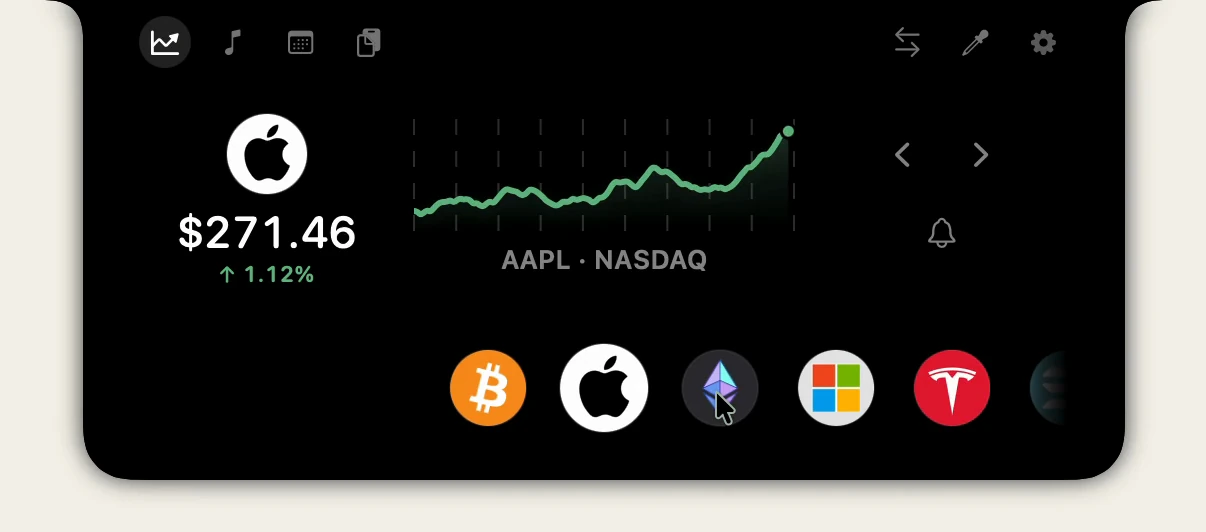
Perchy is our app, so weigh this paragraph with that in mind. Its lead module is Markets: coins, stocks, ETFs and indexes in one row, with charts and price alerts. Stocks follow each exchange’s hours, and most prices from outside the US arrive about 15 minutes late, marked Delayed. Next to Markets sit music controls, a calendar with a Join button, clipboard history, a color picker and a Files Tray.
Perchy Free has no time limit and follows 2 coins and 2 stocks. Every new Mac gets 24 hours of Pro, and Pro is $14.99, paid once, for 2 Macs (the launch price, then $19.99). It needs macOS 14 or later, runs on any Mac, notch or not, and is signed with Apple Developer ID and notarized by Apple. It is not open source. Download Perchy.
NotchNook: the Nook, notes and a subscription option
#NotchNook, from lo.cafe, comes in two editions. Classic covers music controls, a calendar with join buttons for Meet, Zoom, Teams and Webex, notes, to-dos, timers, a camera mirror, Shortcuts and a Tray that holds files and sends them with AirDrop. Pro adds Liquid Glass, AI agents and Live Activities.
It is the one app here sold either as a lifetime license or as a monthly plan. One license covers 2 Macs, and every feature is free for 48 hours with no card. Classic runs on Apple silicon and Intel; Pro needs Apple silicon. Its site says it works with or without a notch, external displays included. Perchy vs NotchNook.
Alcove: polish, Live Activities and lock screen widgets
#Alcove’s site leads with fluid transitions, Live Activities, swipe gestures, customizable HUDs and lock screen widgets. It costs $12.99 as a one-time purchase that includes future updates, with a 72-hour trial, a 14-day refund and up to 3 devices per license. It needs macOS 15 or later. Version 1.7 added a pill shape for displays without a notch, and its changelog mentions a tray update to come in 1.8. Perchy vs Alcove.
Boring Notch: free and open source
#Boring Notch is free and open source under GPL-3.0, for macOS 14 or later on Apple silicon or Intel. It has a music control center with a visualizer, calendar and reminders, a file shelf with AirDrop, a camera mirror and replacements for the volume and brightness HUDs. Its team has no Apple Developer account yet, so macOS warns about an unidentified developer; the README explains how to get past that, or you can install it with Homebrew. Perchy vs Boring Notch.
DynamicLake Pro: many modules and a plugin market
#DynamicLake Pro lists a wide set of modules: a converter, calls, AirDrop, timers, battery and calendar alerts, audio and video conversion, DynaMusix for music and DynaGlance for your schedule and weather. Version 1.9.7, in September 2026, added plugins and a market for them, and 2.0 followed in November. It costs $13.99 as a one-time purchase, works on up to 3 devices, and its FAQ lists macOS 14.0 to macOS 27 and later, Macs without a notch and external displays. To try it, there is a free DynamicLake Playground with basic music support. Perchy vs DynamicLake Pro.
Atoll: open source, with system stats
#Atoll is free and open source under GPL-3.0, and its README credits Boring Notch as the codebase it grew from. It adds a system monitor for CPU, GPU, memory, network and disk, alongside media controls, Live Activities, lock screen widgets, timers, clipboard history, a color picker and calendar previews. It needs macOS 14.0 or later and, per its README, a MacBook with a notch. Its latest stable release is 2.3.3, from July 2026.
Notch or island on an external display
#An external monitor, an iMac or a Mac mini has no notch. Apps that support them draw their own panel at the top of the screen: some as a notch shape attached to the top edge, some as a floating pill in the style of the iPhone’s Dynamic Island. In Perchy you choose per display: Notch, Dynamic Island or Hide. Free shows Perchy on one display; Pro on all of them.
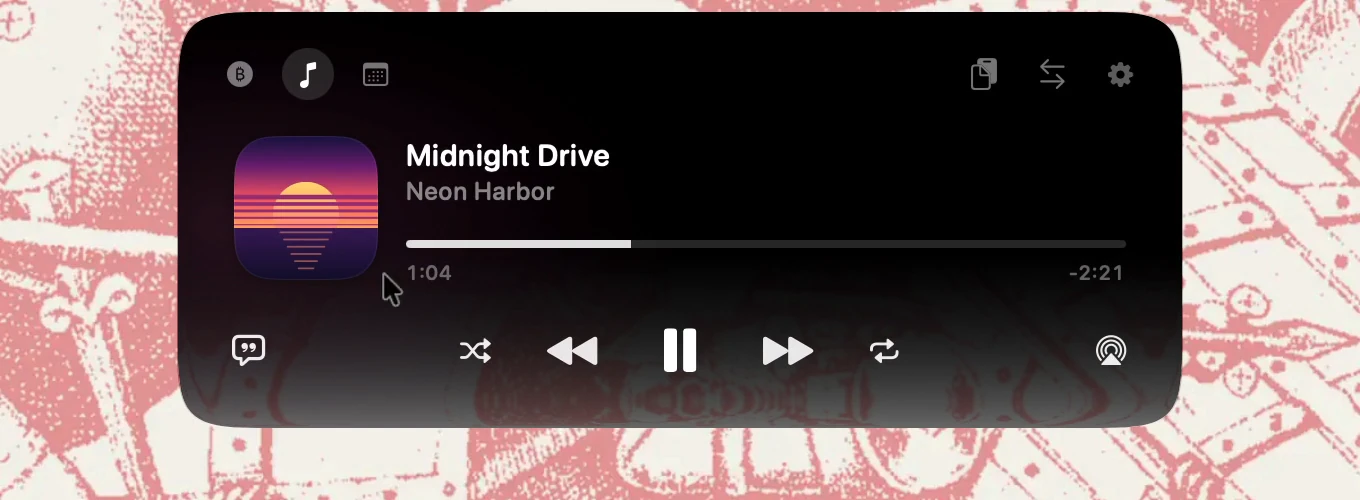
Our guide to a Dynamic Island on a Mac covers the set-up in detail.
Which one to choose
#- You want prices in the notch: Perchy, for crypto and stocks together.
- You want free and open source: Boring Notch, or Atoll for system stats.
- You are on macOS 15 or later and want polish: Alcove.
- You want the most modules and plugins: DynamicLake Pro.
- You want notes, to-dos or a monthly plan: NotchNook.
Questions
#What is a Mac notch app?
An app that turns the black notch at the top of a MacBook screen into a small panel. Hover or click it and it opens with music controls, files, calendar events or, in Perchy’s case, crypto and stock prices. Most also show short banners when you change the volume or connect AirPods.
Is there a free notch app for Mac?
Yes. Boring Notch and Atoll are free and open source. Perchy Free is free with no time limit. DynamicLake offers a free Playground with basic music support. NotchNook has a 48-hour trial and Alcove a 72-hour trial, then they are paid.
Do notch apps work on a Mac without a notch?
Some do. Perchy, NotchNook and DynamicLake say they work with or without a notch, external displays included. Alcove added a pill shape for notchless displays in version 1.7. Atoll’s README asks for a MacBook with a notch, and Boring Notch’s README does not say.
Which notch app shows stock prices?
Perchy shows stocks, ETFs and indexes next to crypto in its Markets section. None of the other five apps list stock or crypto prices on the pages we checked on 2026-11-04.
Which notch apps are open source?
Boring Notch and Atoll, both under the GPL-3.0 license. NotchNook publishes its source under the PolyForm Noncommercial license, so it is source-available rather than open source. Perchy, Alcove and DynamicLake are closed source.
Not investment advice. Market data may be delayed.
Sources
#Checked on :
Something out of date? Apps change. Write to support@getperchy.com and we will correct this guide. More guides.